Movie rating, measured
Rate the craft,
not just the movie.
One score can't tell you whether the acting carried a weak script, or a gorgeous film fell apart in the edit. ScreenMetric scores ten categories per film, and every one is optional, so you rate only what you care about.
Ten categories, one film
Every part of the craft, scored on its own
Rate all ten for a full breakdown, or score just Impact / Entertainment for a quick flat overall. Nothing is required.
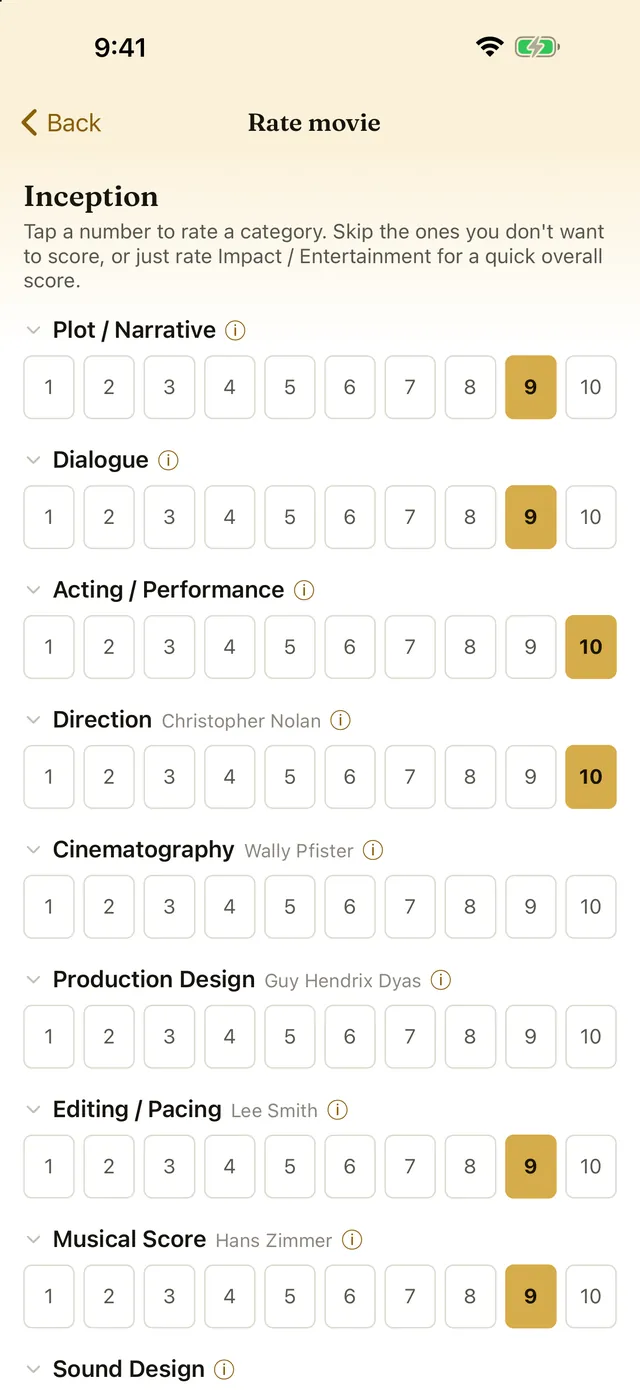
Rate it one category at a time
Tap a number from 1 to 10 for each category, and skip the ones you have no view on. If you only want a verdict, rate Impact / Entertainment on its own and that becomes the film's overall score. Whoever the film credits is named beside the craft you are scoring them on. You can also add the date you watched it.
Browse by score
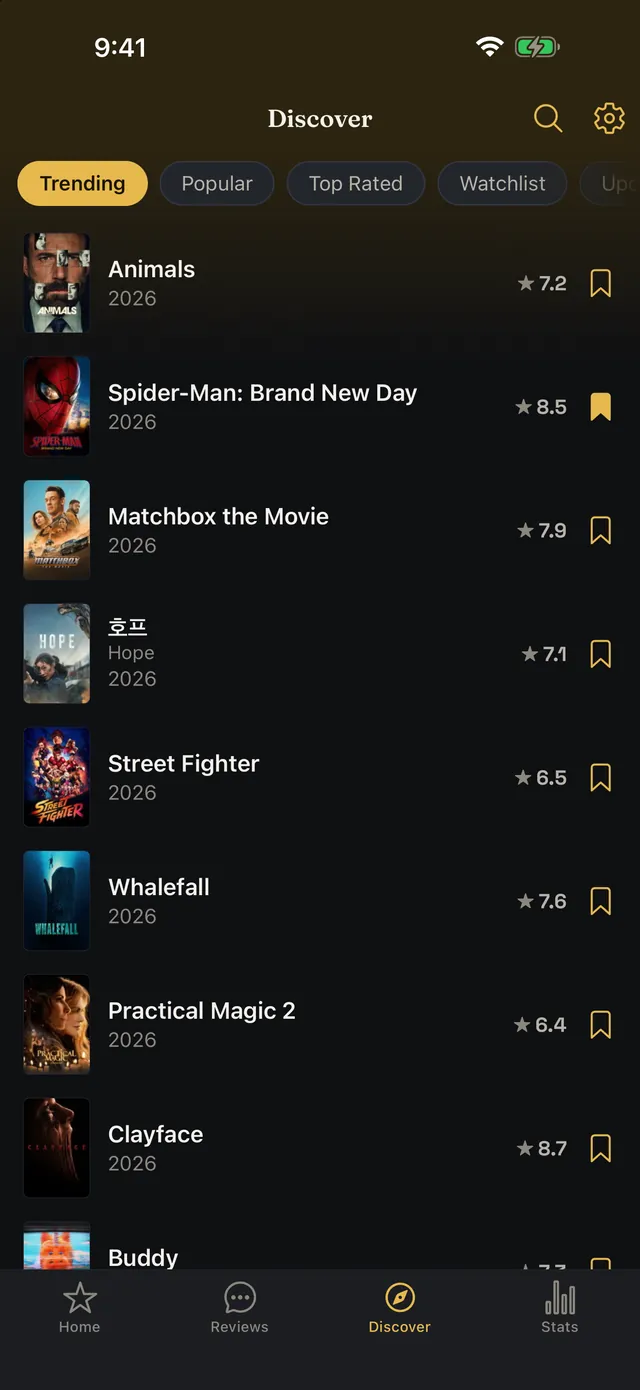
Trending and popular lists come from TMDb, each row showing its community rating. Switch Top Rated over to ScreenMetric and films rank by our own users' category scores instead. Hidden Gems narrows that to older, lesser-known films our users score highly, and all three Top Rated lists filter by genre and decade.
Judge before you're swayed
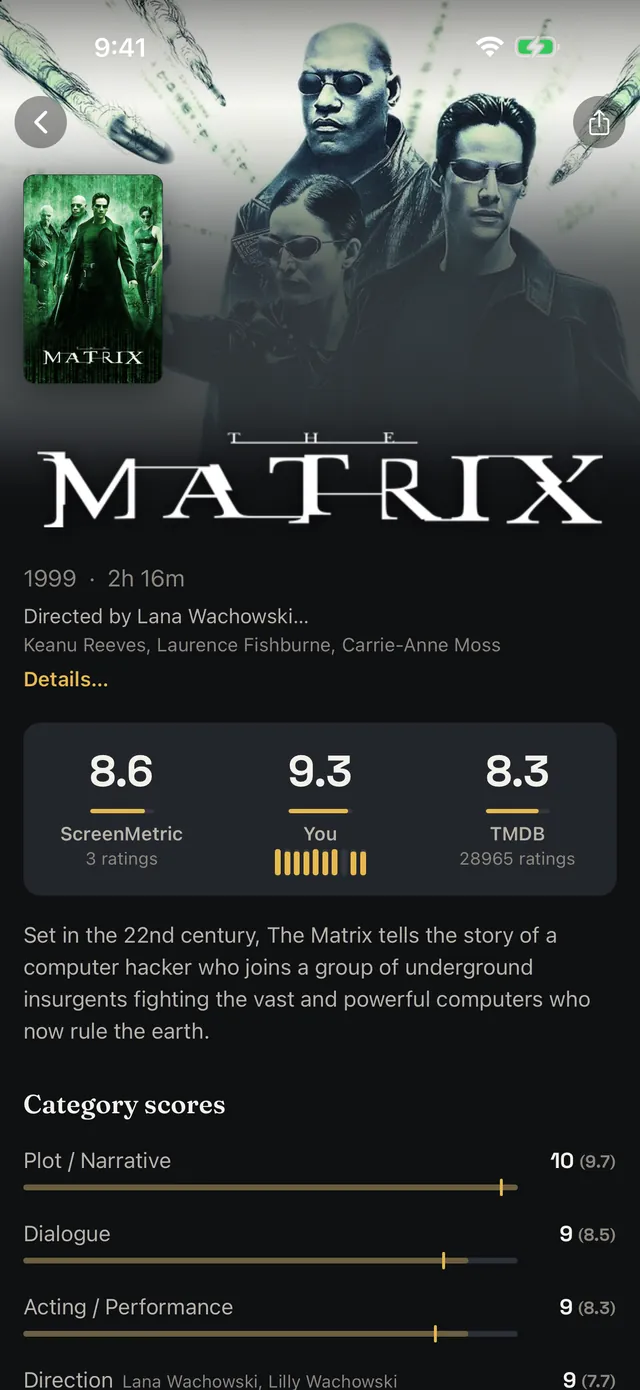
The community average for a category stays hidden until you've rated it yourself. Then it shows up small, in parentheses, next to your own. Form your opinion first.
Watchlist that pings you PRO
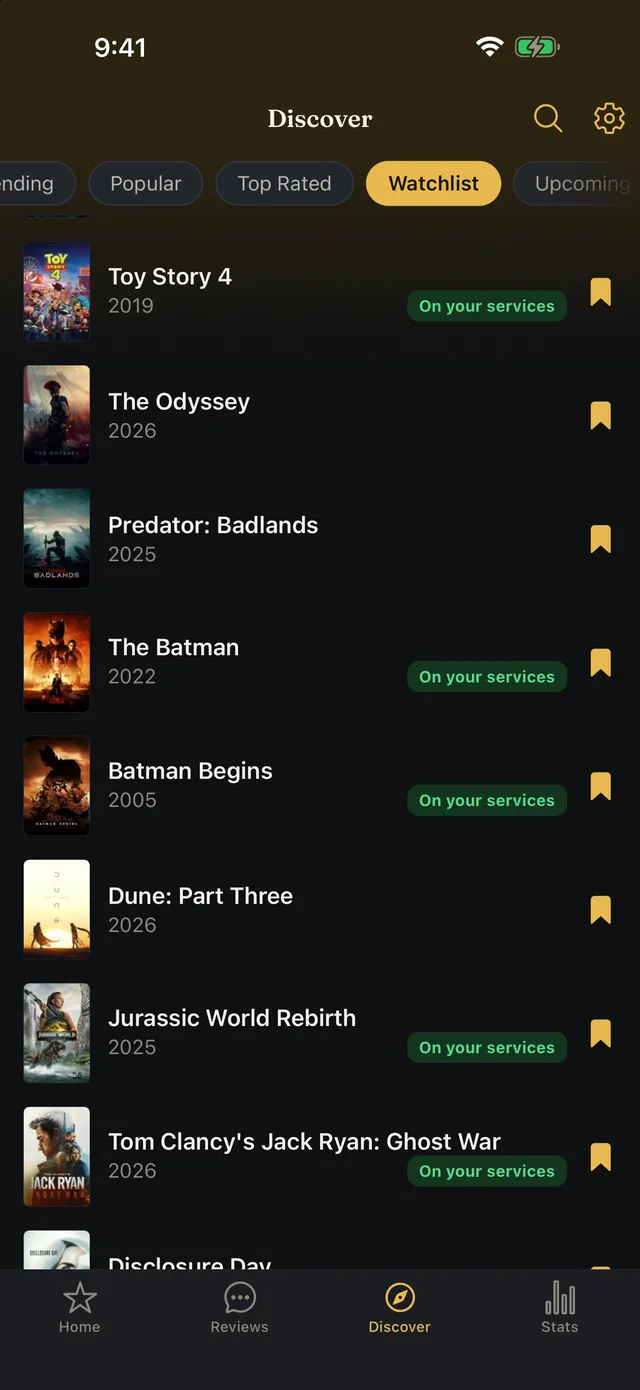
Bookmark films you want to see. When one lands on a streaming service you subscribe to in your region, you get a notification. Tap it to jump straight to the film.
Share the full picture
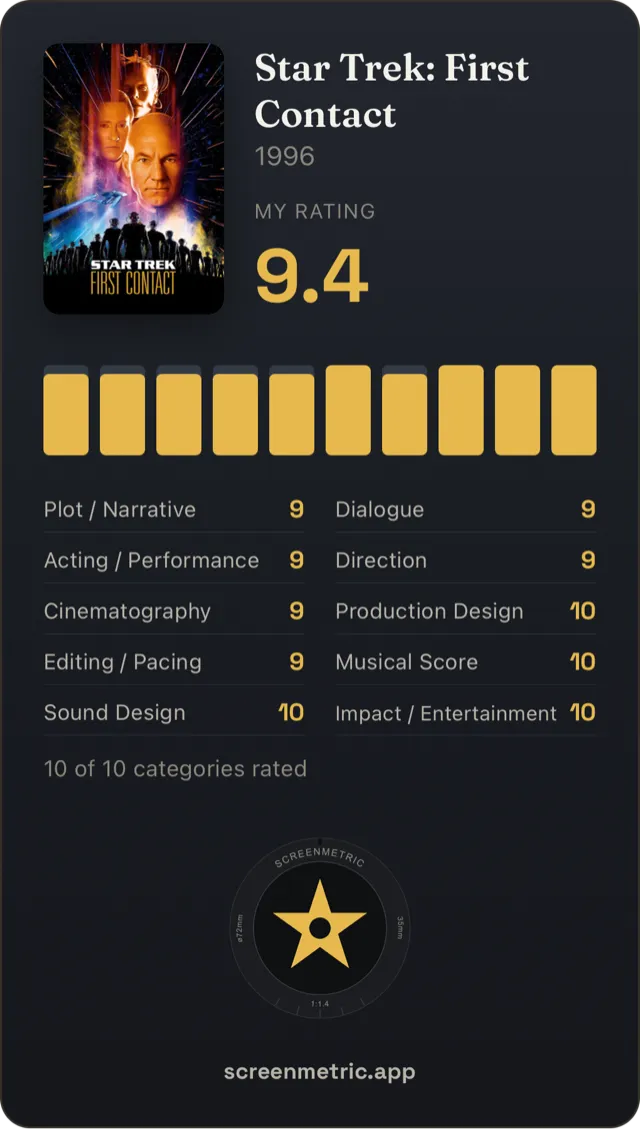
Export a dark-and-gold card of any film's rating: the poster, your overall score, a fingerprint of your ten categories, and each category's score written out underneath. Or share your whole rating profile from the Stats tab.
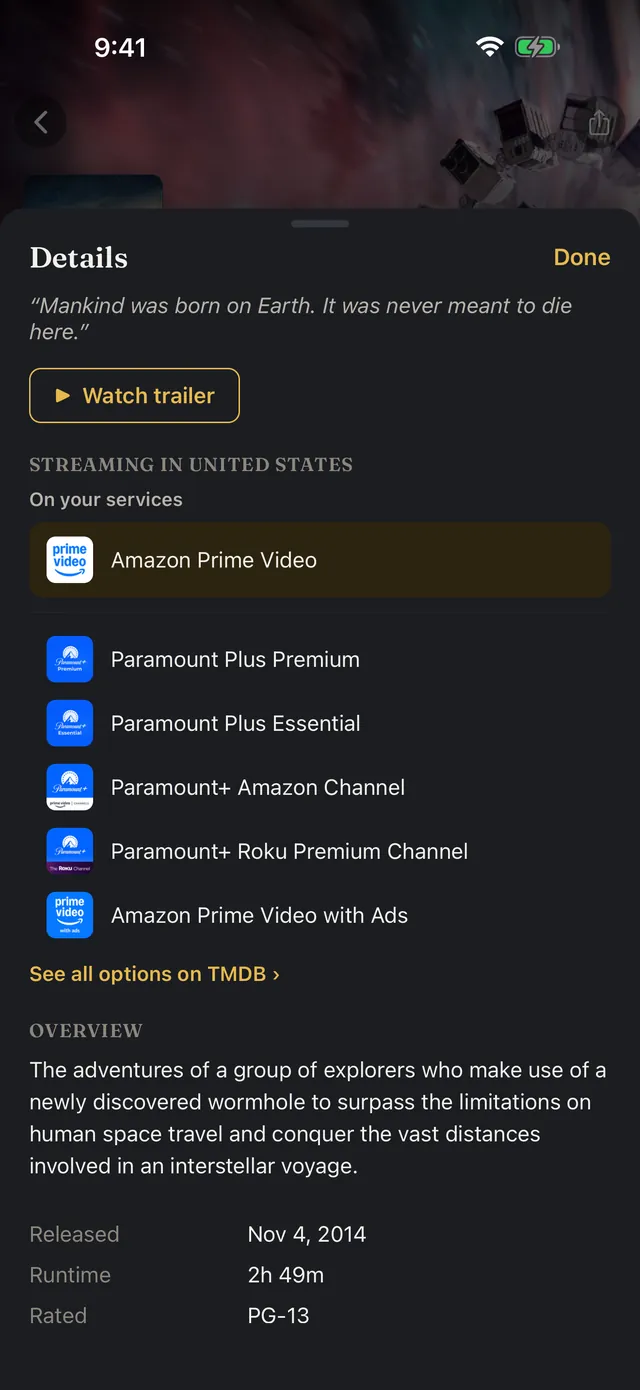
See where it streams
Where a film streams in your region, with the services you already pay for marked. On a phone that sits in the film's More sheet, along with the cast, the crew credits, the age rating and a trailer. On a tablet it is all on the page itself.
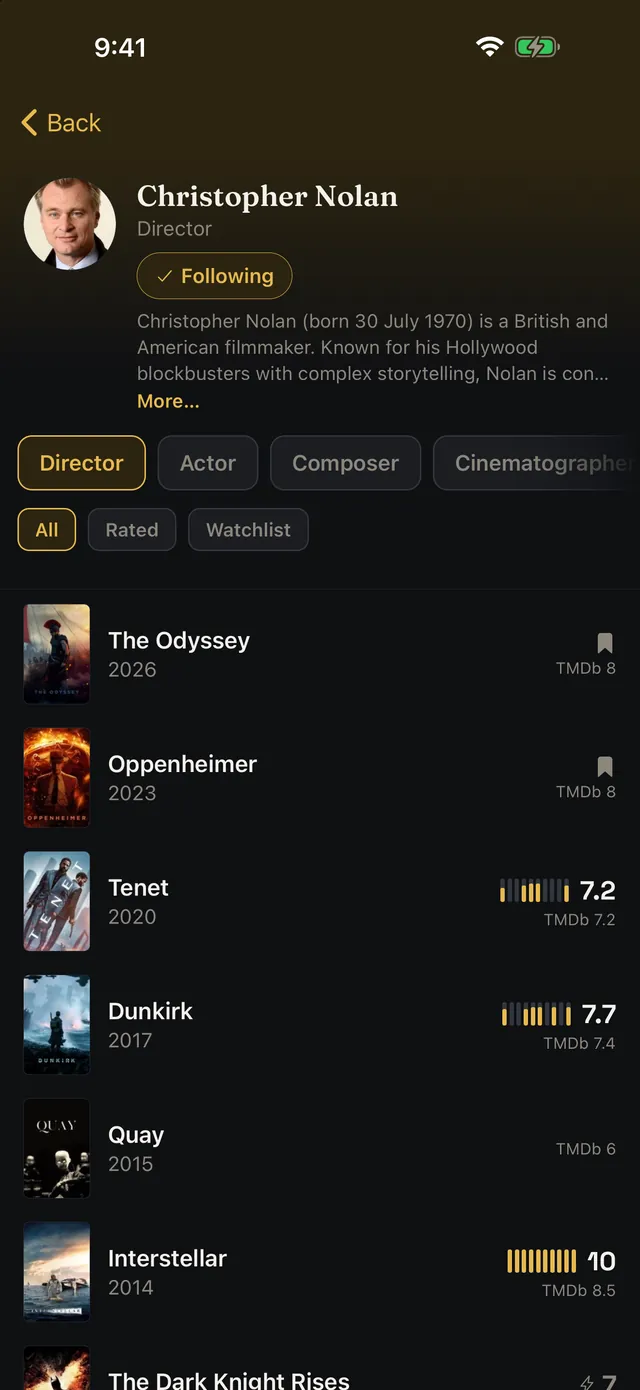
Follow a name through their work
Tap anyone credited on a film and you get everything they have worked on, with your own score beside each one. People credited in more than one role get a chip per role, so a director who also acts has both. Filter the list down to what you have rated, or to what is on your watchlist. With Pro, tap Follow and you get a notification when their next film is announced, and again when it comes out in your region. Discover's Following list shows everyone you follow.
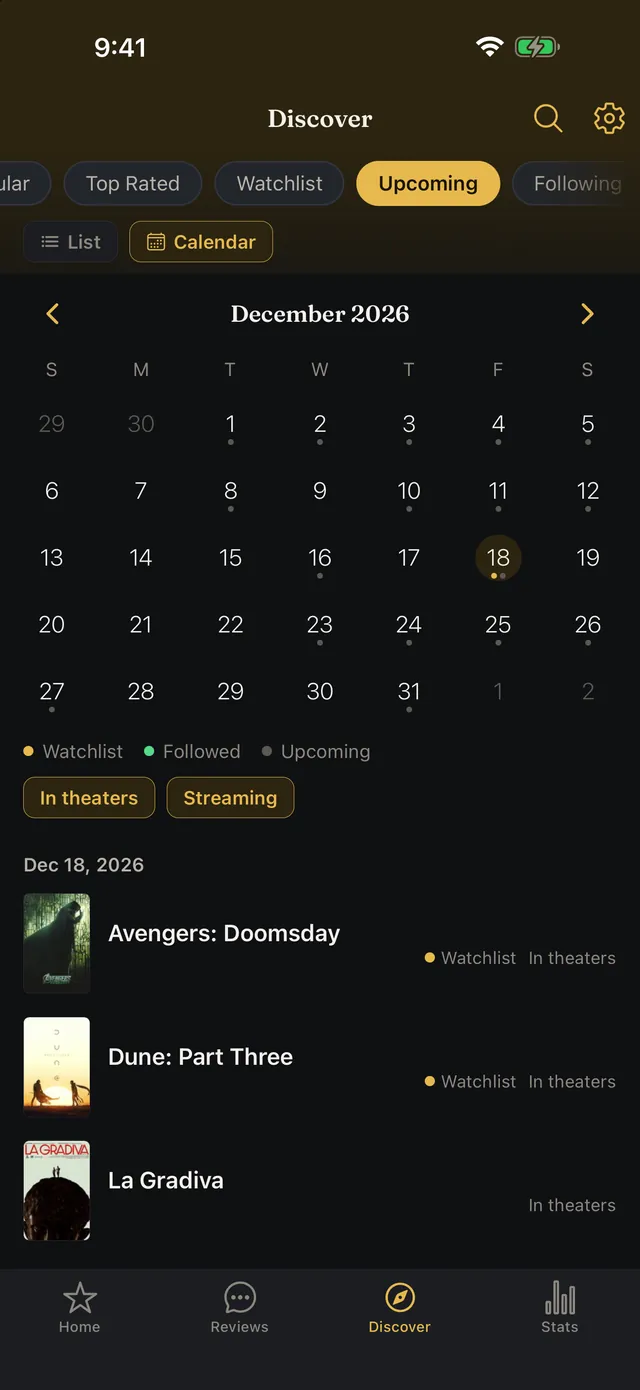
What's coming out
Discover's Upcoming list covers the next six months of releases in your region, with each film's date and whether it opens in theaters or on streaming. Switch to the calendar to see a month at a time. With Pro, your watchlist and the people you follow show up on it too.
Your ratings, in charts
The Stats tab adds your ratings up: score distribution, averages by category and by decade, the genres you rate most, your best and worst films. It also ranks the directors, actors, cinematographers and composers you score highest.
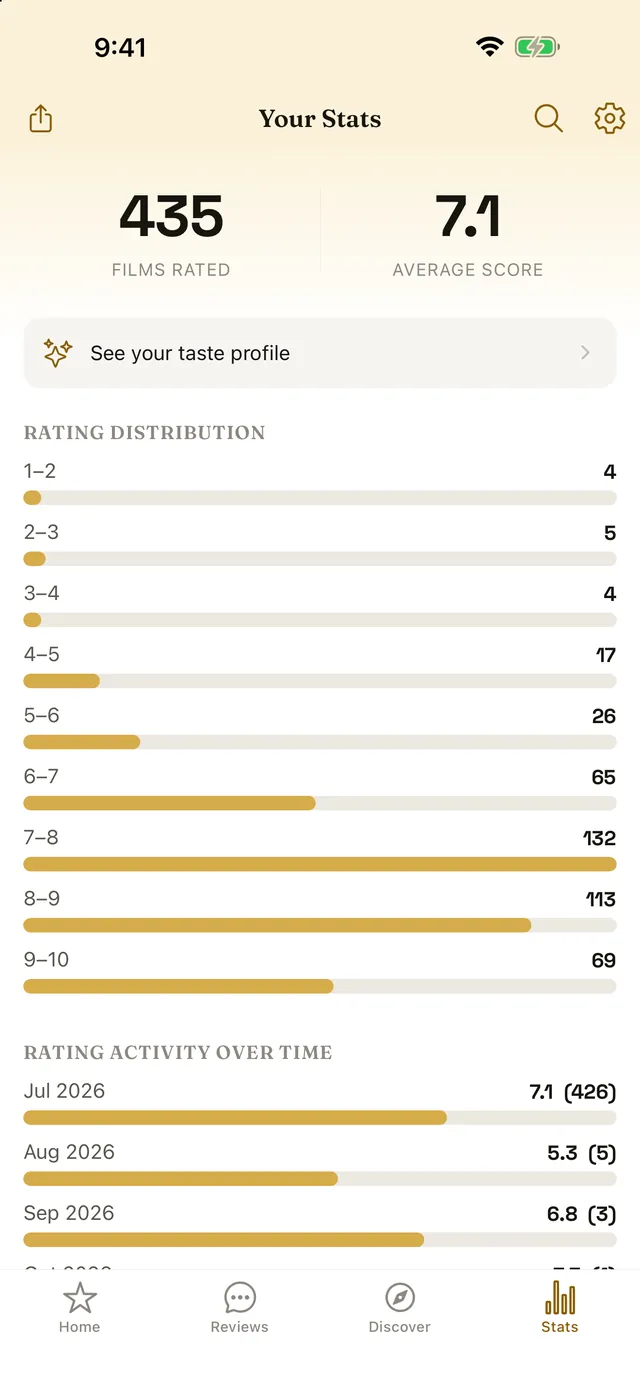
What drives your enjoyment PRO
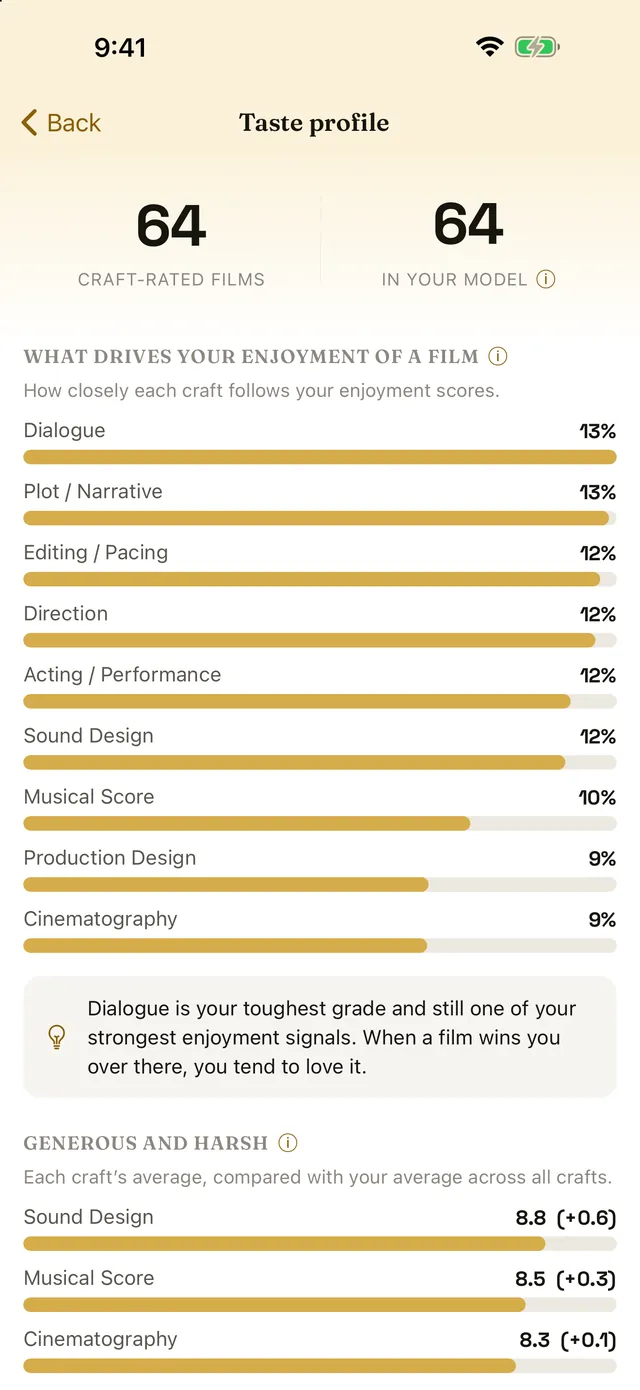
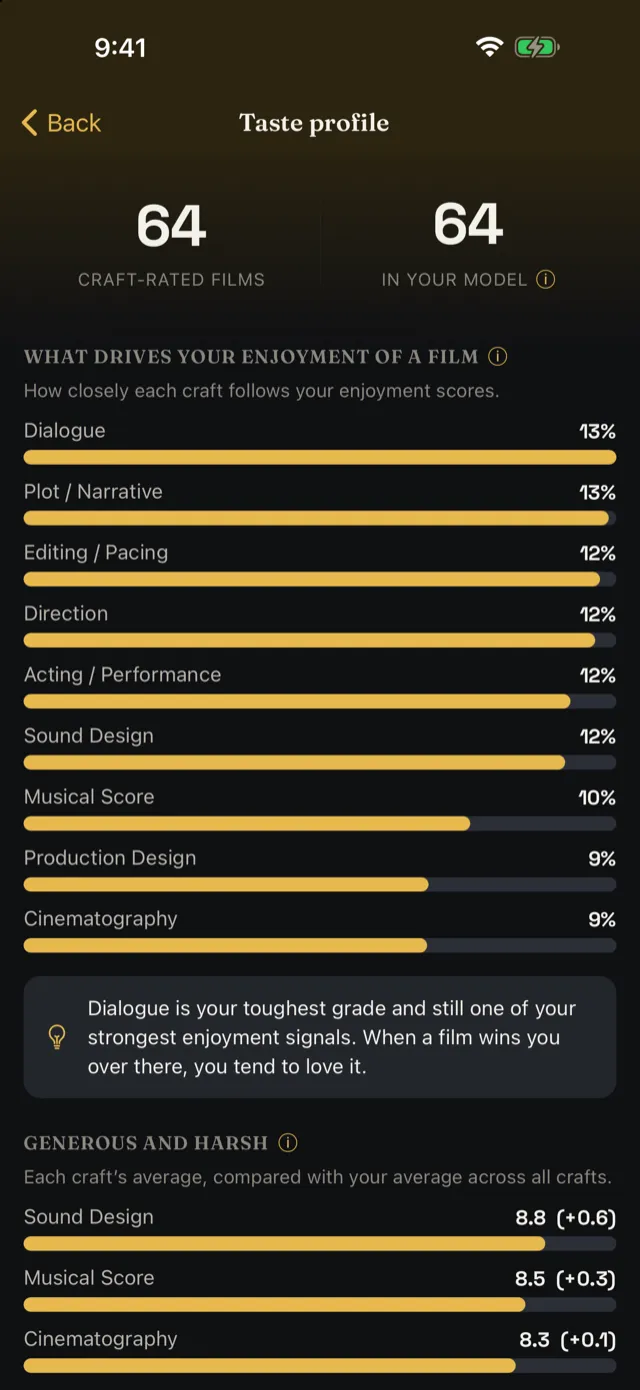
The Taste tab measures your craft scores against how much you enjoyed each film, then works out which crafts your enjoyment actually follows. It also shows which crafts you grade generously, and how far your scores sit from everyone else's.
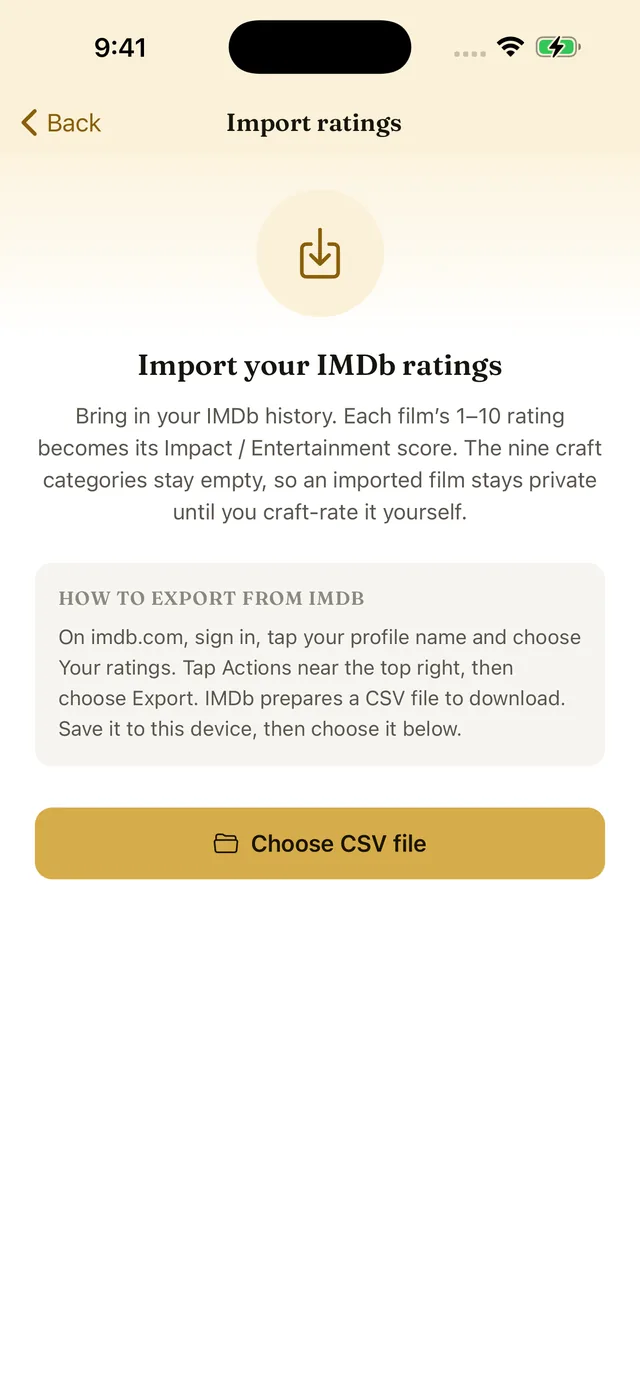
Bring your ratings with you
Import your IMDb ratings export and your library is there from the first launch. Each film arrives with its 1–10 score as Impact / Entertainment, and you can craft-rate it whenever you get to it. The first 100 films are free.
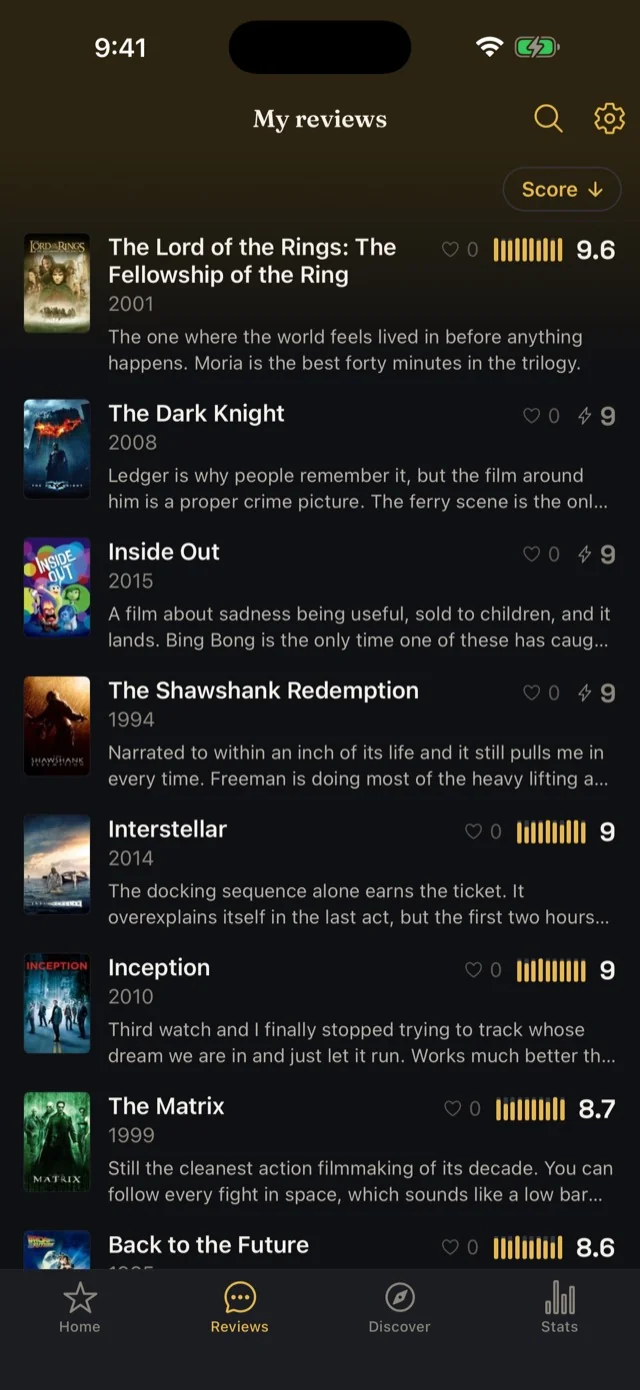
Write and read reviews
Once you've rated a film and picked a username, you can post a public written review beside your score. A review runs to at least 300 characters, so it says something. Read what other people thought of the same film too, even without an account, and like the ones you found useful.
iPad and Android tablets
Room to put it all on one page
A tablet gets a layout of its own rather than a stretched phone screen. The app splits into columns, and the detail a phone keeps behind a sheet sits out in the open.
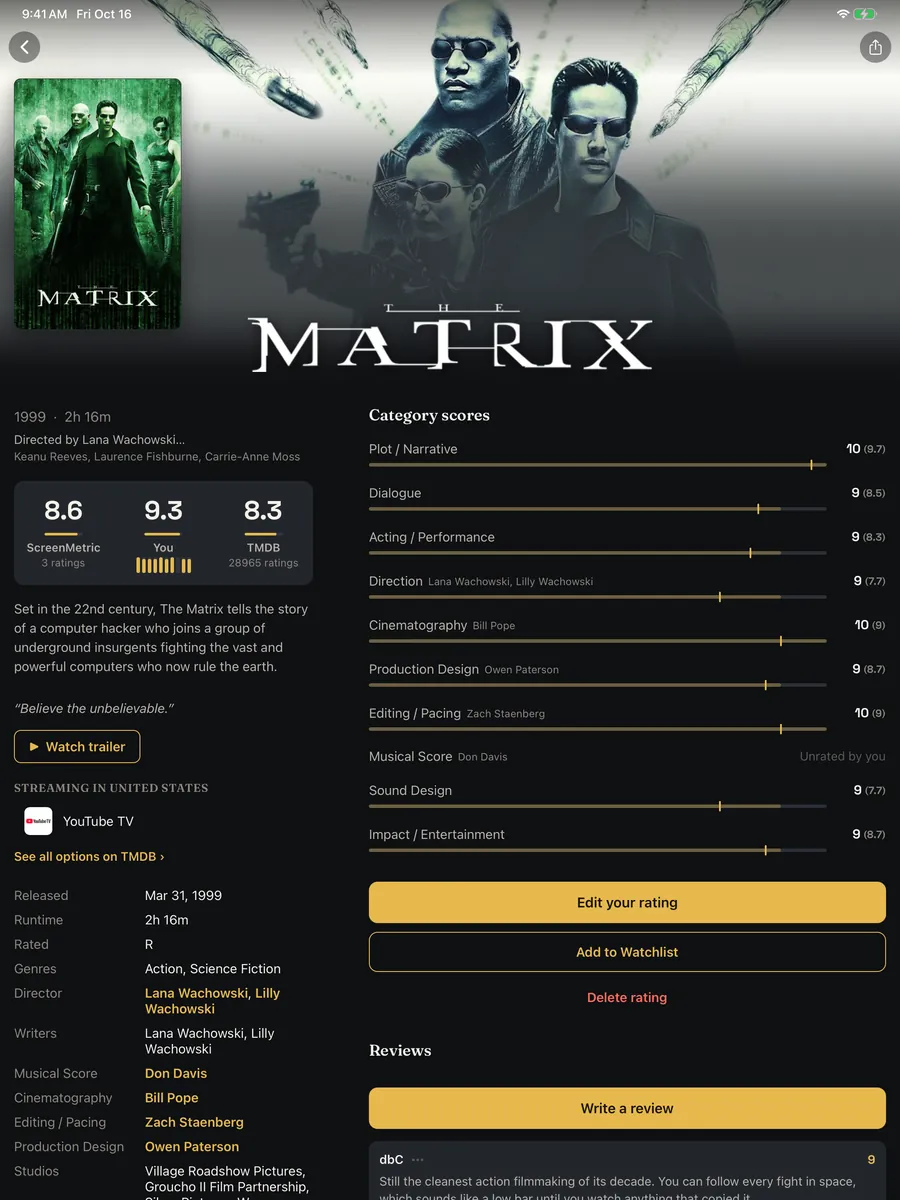
Everything on one page
A film's streaming services, full cast, crew credits and release details sit under the synopsis, with your category scores beside them in their own column.
On a phone those live behind a More sheet. A tablet has the room to show them outright, so it does, and the synopsis runs at full length.
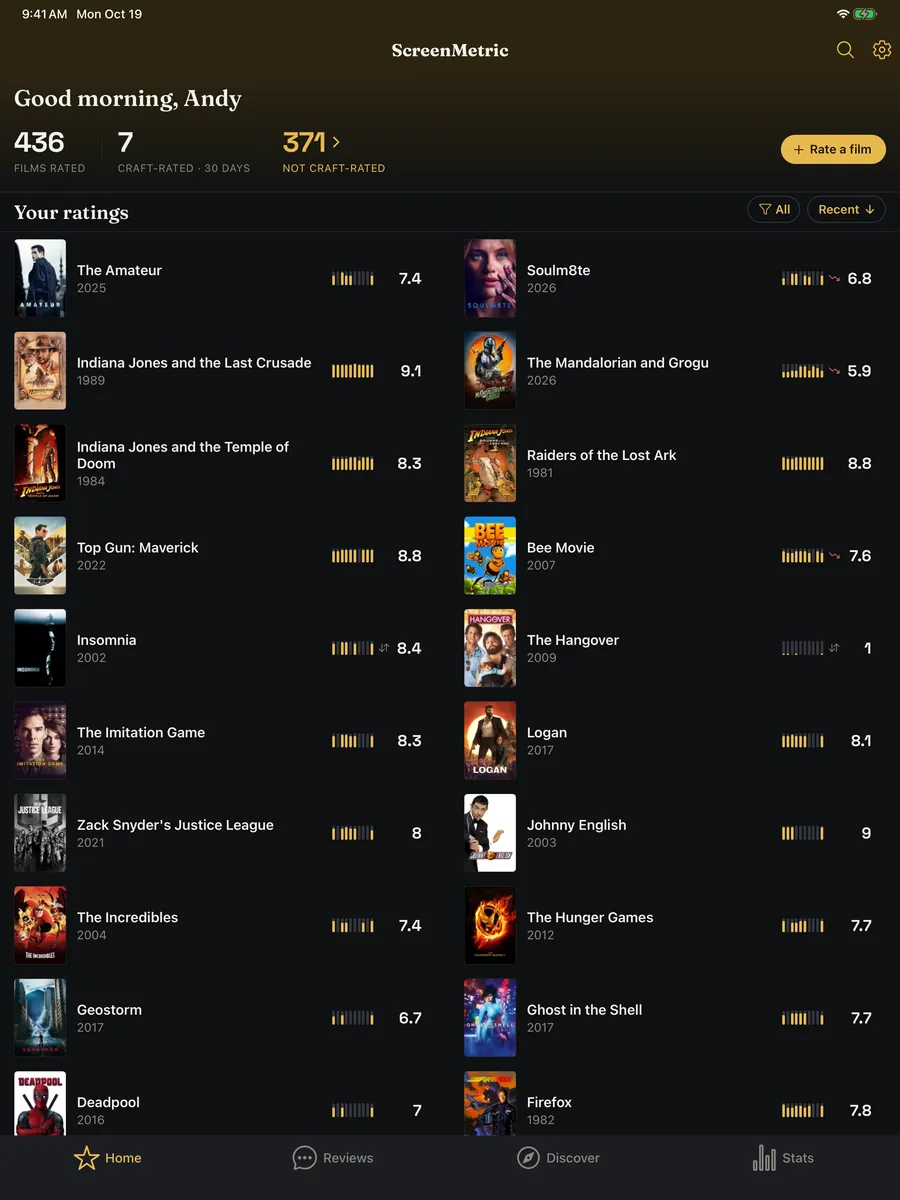
Two films to a row, then three
Your library tiles two across from 600pt up, and three across past 1200pt.
Every row keeps its score and its ten-bar craft fingerprint at the size they read at on a phone.
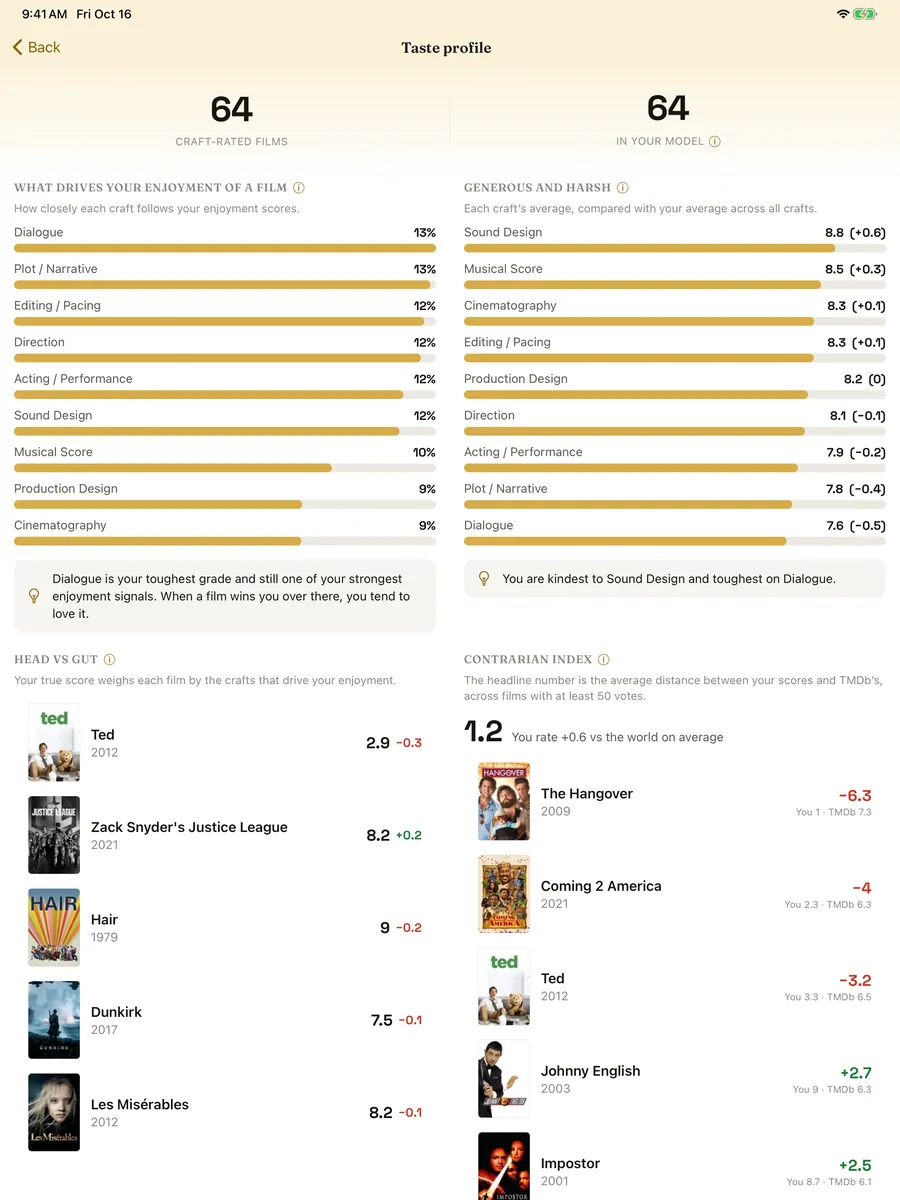
Metrics you can read against each other
The Stats charts and the Taste metrics pair two across. What drives your enjoyment sits next to how generously you grade each craft, which is the comparison you wanted to make anyway.
Best in craft takes the full width below them and tiles its crafts two across.
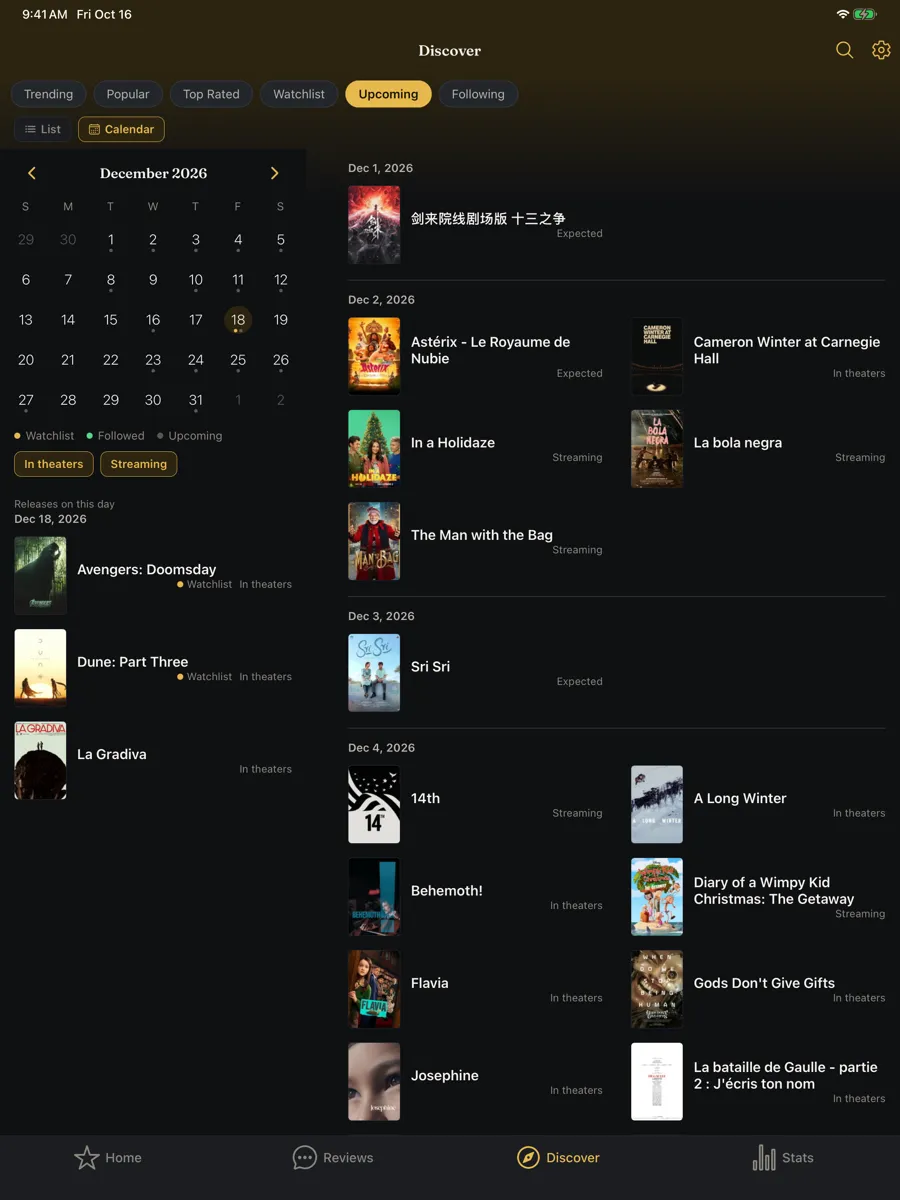
The whole month of releases
The release calendar puts the month's grid on the left and every film coming out that month on the right, two across.
Tap a day and that day's films show up under the grid.
And the rest of the app
Settings deals into two balanced columns. The language, region and provider pickers split in two rather than scrolling inside a tall sheet.
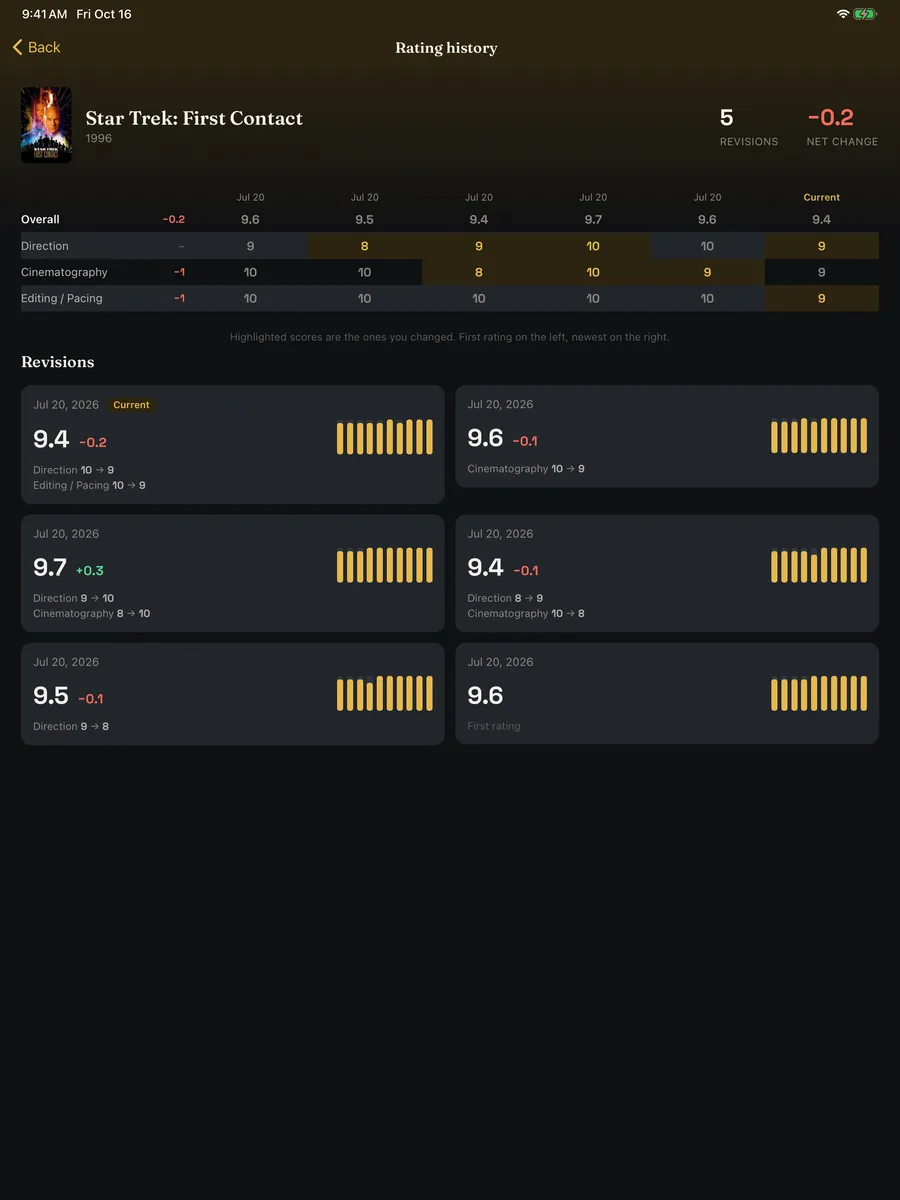
Rating, Review Compose, and Rating History each split into two panes that scroll independently.
None of this asks what device you are holding. It measures how wide the window is, so an Android tablet from 800dp gets the same layouts, and so does an iPad running two apps side by side.
Make it yours
Five themes for the whole app
The theme you pick carries across every screen. Try them on the Taste profile below. Dark and Light come free; Sepia, Noir and Technicolor unlock with Pro.
ScreenMetric Pro
One purchase. No subscription.
A launch price of $9.99, paid once. It stays yours, and everything not on this list is free.
- The Taste tab: which crafts your enjoyment follows, and how that shifts over time
- Every film your services added in the last 30 days, not just the top three, filtered by service or genre
- A Friday notification with the films your services added that week
- A notification when a film on your watchlist starts streaming on a service you have
- Following up to 100 actors and filmmakers, with a notification when their next film is announced and when it comes out
- Rating history, so you can see how your score on a film changed and when
- Unlimited IMDb import, past the free first 100 films
- The top ten directors, actors, cinematographers, and composers you score highest, rather than the top three
- Which films on Trending, Popular, and Top Rated are on your services
- Your watchlist and the people you follow on the release calendar
- Sorting your ratings by any single craft, not just the overall score
- An Alerts list that keeps every alert for 90 days, with a badge for the unread ones
- Export everything you have rated as CSV or JSON
- The Sepia, Noir, and Technicolor themes
Get ScreenMetric
Start measuring your movies
Free on iPhone, iPad, Android, and Apple silicon Macs, in sixteen* languages. No ads, and nothing in the app tracks you or reports your activity anywhere. Scan a code or tap through to the store.
* English, Norwegian, Swedish, Danish, Finnish, German, Dutch, French, Spanish, Italian, European Portuguese, Brazilian Portuguese, Polish, Japanese, Korean, and Traditional Chinese.